The following groups contain the roles for use in the applications module:
 EBS Central Apps/Enqs/Enrols
The roles for applications, offers and requirements are located in the EBS Central Apps/Enqs/Enrols group.
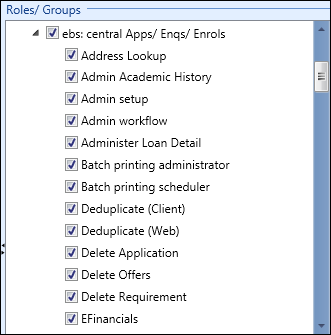
The relevant roles in the EBS Central Apps/Enqs/Enrols group are described in the following table.
| Role | Allows users to... |
|---|---|
| Delete Applications |
Delete application records on the Applications tab in the applications module. Important.A user must also have the Full or View Applications role to access the Applications tab.
|
| Full Applications |
Do the following:
Important.A user must also have the Enrolment Manager role to access the learner manager module.
|
| View Applications |
View applications on the Applications tab in the applications module, in EBS Web, and on the Applications tab in the learner manager module (read-only). Important.A user must also have the Enrolment Manager role to access the learner manager module.
|
| Delete Offers |
Delete offer records on the Offers tab in the applications module. Important.A user must also have the Full or View Offers role to access the Offers tab.
|
| Full Offers | View, add, and edit offer records on the Offers tab in the applications module. |
| View Offers | View individual offer records on the Offers tab in the applications module (read-only). |
| Delete Requirements |
Delete requirement records on the Requirements tab in the applications module. Important.A user must also have the Full or View Requirements role to access the Requirements tab.
|
| Full Requirements | View, add, and edit requirement records on the Requirements tab in the applications module. |
| View Requirements | View individual requirement records on the Requirements tab in the applications module (read-only). |
| Run Reports - Applications | Run learner application reports and, and learner interview reports in Central and EBS Web. |
EBS prospect Interviews
The roles for interviews are located in the EBS prospect Interviews group.
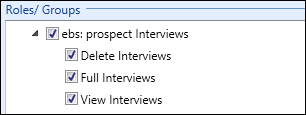
The relevant roles in the EBS prospect Interviews group are described in the following table.
| Role | Allows users to... |
|---|---|
| Delete Interviews |
Delete interviews on the Interviews tab in the applications module. Important.A user must also have the Full or View Interviews role to access the Interviews tab.
|
| Full Interviews | View, add, and edit interviews on the Interviews tab in the applications module. |
| View Interviews | View individual interview records on the Interviews tab in the applications module. |