In Ontrack Designer, each screen has only one context and the set of contexts are displayed as headings in the Screens section.
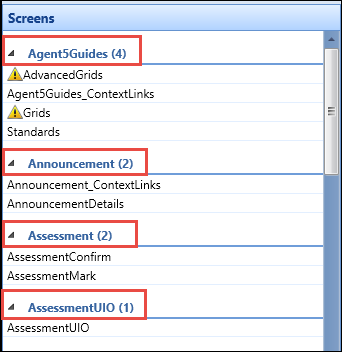
There are a number of default contexts in Ontrack Staff Hub and Ontrack Learner Hub, and additional contexts can be created as required.
When configuring contexts in Ontrack Designer, you can:
 Add contexts
To add a new context:
-
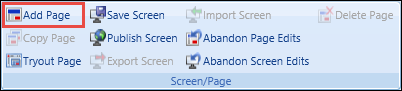
Select the Add Page button on the System Configuration Commands ribbon.
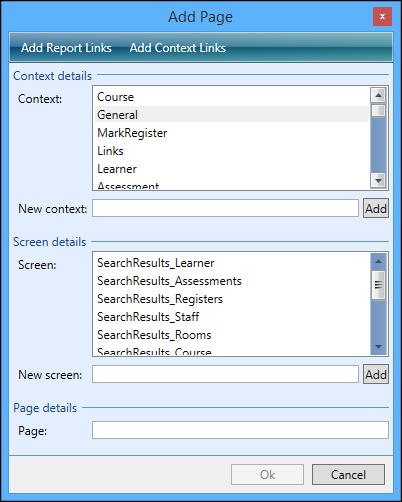
The Add Page window is displayed.
-
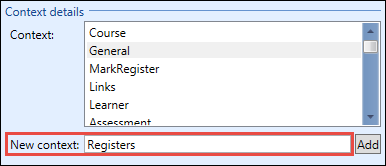
Enter the name of the new context in the New Context field of the Context Details section.
-
Select the Add button.
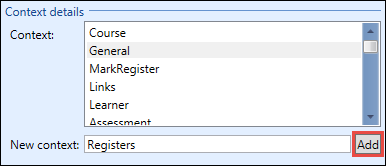
The new context is added to the list of contexts.
Add context parameters
All the pages for a context share the same parameters. To enable testing of data links you need to set up your test parameter after creating the first screen in the new context. When more than one screen is active you will not be able to add a parameter for the context.
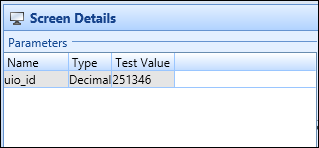
To add a context parameter:
-
Select the Add Parameter button on the System Configuration Commands ribbon.
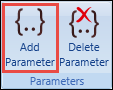
A row is added to the Parameters grid.
-
Enter the details of the context parameter.
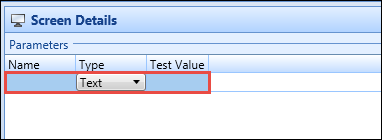
The fields in the Parameters grid are described in the following table.
| This field | Holds this information... |
|---|---|
| Name | The name of the parameter. |
| Type |
The type of parameter. Select from the following:
Important.If you select Numeric and select on the Test Value field to enter a valid test value, the Type field will change to Decimal .
|
| Test Value | The value used for testing the page (for example: If the parameter is for a person code, you would want to set the test value to a person code in your database). |
-
Select Save to save the context parameter.
The context parameter is added.
You should be aware of the following with context parameters:
- When another screen has been added to a context, the context parameter cannot be changed
- You cannot add a new parameter if a parameter already exists with a blank name
- A warning will display if the test value conflicts with the parameter type (for example: if you define the parameter type as numeric and enter a text test value)
- The parameters give the minimum information that needs to be supplied to the screen on the URL to get the page to work (for example: in Ontrack Staff Hub, the parameter for learner screens is person codes, so all pages require this information on the URL "PersonCode=x")
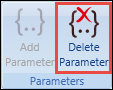
You can delete a context parameter, from the Delete Parameter button on the System Configuration Commands ribbon.