The following groups contain the roles for use in the learner module:
 EBS Central Apps/Enqs/Enrols
The roles for the Learner, Consents and International tab are located in the EBS Central Apps/Enqs/Enrols group.
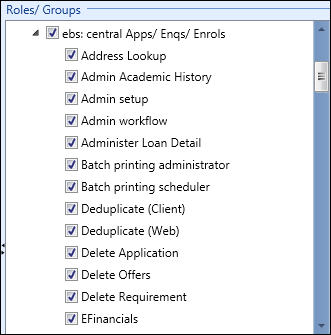
The relevant roles in the EBS Central Apps/Enqs/Enrols group are described in the following table.
| Role | Allows users to... |
|---|---|
| Full People | View, add, edit, and delete learner details on the Learner tab. |
| View People | View learner details on the Learner tab (read-only). |
| Export Learner Data | Export learner data from the Learner Archive Export button in the learner module. |
| Full Consents | View and edit consent records on the Consents tab. |
| View Consents | View consent records on the Consents tab (read-only). |
| International Students | Add passport, visa, agent, insurance, accommodation provider, arrival detail and orientation detail records. |
| International Students Admin |
Do the following:
|
| Photo Import |
Import learner photos in bulk (for example: from a CD or local directory) on the Imports screen providing the photo names include the learner’s ID. Important.The learner
ID type to use (for example: Person Code) can be set in the Learner identified
by institution setting.
|
| Run Reports | Run learner reports in the learner module (for example: learner agreements). |
EBS Central Medical
The roles for the Medical tab are located in the EBS Central Medical group.
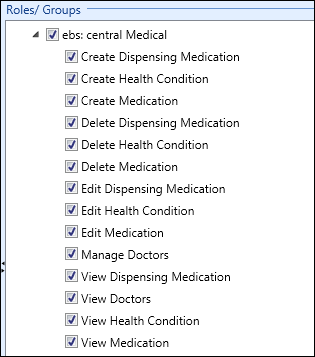
The relevant roles in the EBS Central Medical group are described in the following table.
| Role | Allows users to... |
|---|---|
| Create Health Condition | Add health conditions on the Health Conditions sub-tab. |
| Delete Health Condition | Delete health conditions on the Health Conditions sub-tab. |
| Edit Health Condition | Edit health conditions on the Health Conditions sub-tab. |
| View Health Condition | View health conditions on the Health Conditions sub-tab (read-only). |
| Manage Doctors | View, add, edit, and delete doctor records on the Doctors sub-tab. |
| View Doctors | View doctor records on the Doctors sub-tab (read-only). |
EBS one Learner Communications
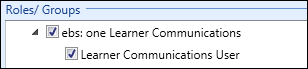
The role for access to the Learner Docs & Comms tab is located in the EBS one Learner Communications group.
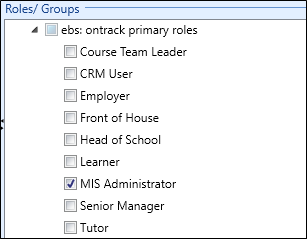
EBS Ontrack A primary role from the EBS Ontrack primary roles group must be assigned to a user for access to the Ontrack tab.
UK EBS Central Family and Contacts
The roles for the Contacts tab are located in the EBS Central Family and Contacts group.
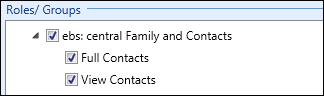
The roles in the EBS Central Family and Contacts group are described in the following table.
| Role | Allows users to... |
|---|---|
| Full Contacts | View, add, edit, and delete contact records on the Contacts tab. |
| View Contacts | View contact records on the Contacts tab (read-only). |
NZ EBS Central International Administration
The roles for the INZ Admin functionality are located in the EBS Central International Administration group.
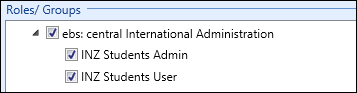
The roles in the EBS Central International Administration group are described in the following table.
| Role | Allows users to... |
|---|---|
| INZ Students Admin |
Do the following:
|
| INZ Students User | View the export and import history of learner visa renewals (read-only). |