You use the ILP (Individual Learning Plan) module to manage your targets and reviews in Ontrack Learner Hub.
The ILP module allows you to:
-
View and track targets
-
Create and manage personal targets
-
Complete and submit reviews
-
Monitor progress against due dates
To access the ILP module, select ILP Learner from the left-hand panel in Ontrack Learner Hub. The my reviews and targets screen is displayed, as shown in the image ILPs.
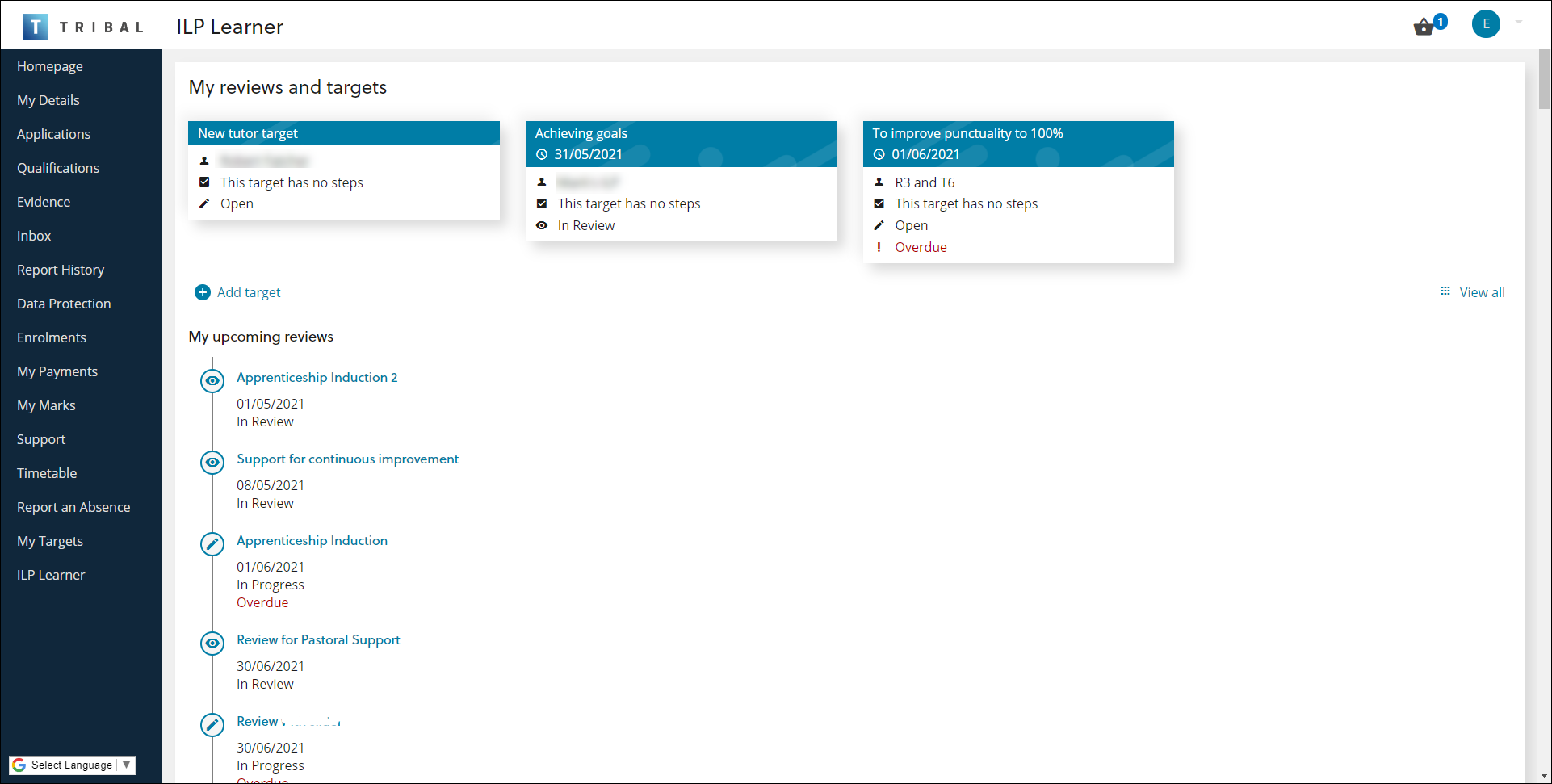
My reviews and targets overview
The my reviews and targets screen provides a summary of your current activity, including:
-
Your active targets
-
Your upcoming and outstanding reviews
This screen is the main starting point for managing both targets and reviews.
Targets
Targets are displayed as tiles on the my reviews and targets screen.
Each target tile shows:
-
Target title
-
Due date
-
Target type, such as ILP, Staff or Personal.
-
Total number of steps, including completed and remaining steps.
-
Target status. Note that an overdue warning is shown if the target is past its due date and has a status of Open.
Up to three targets are shown, ordered by due date. You can view all targets on the My targets screen.
Reviews
Your current and outstanding reviews are listed in the My upcoming reviews section.
Each review includes:
-
Review title
-
End date
-
Review status, such as In Progress or In Review.
-
An Overdue warning if the review is past its due date and has a status of Open.
You can also view completed reviews from this screen.