In Ontrack Learner Hub, you can view and manage the fees and payments linked to your course enrolments. The page gives you an overview of your financial activity and helps you understand what you’ve paid and what you still owe.
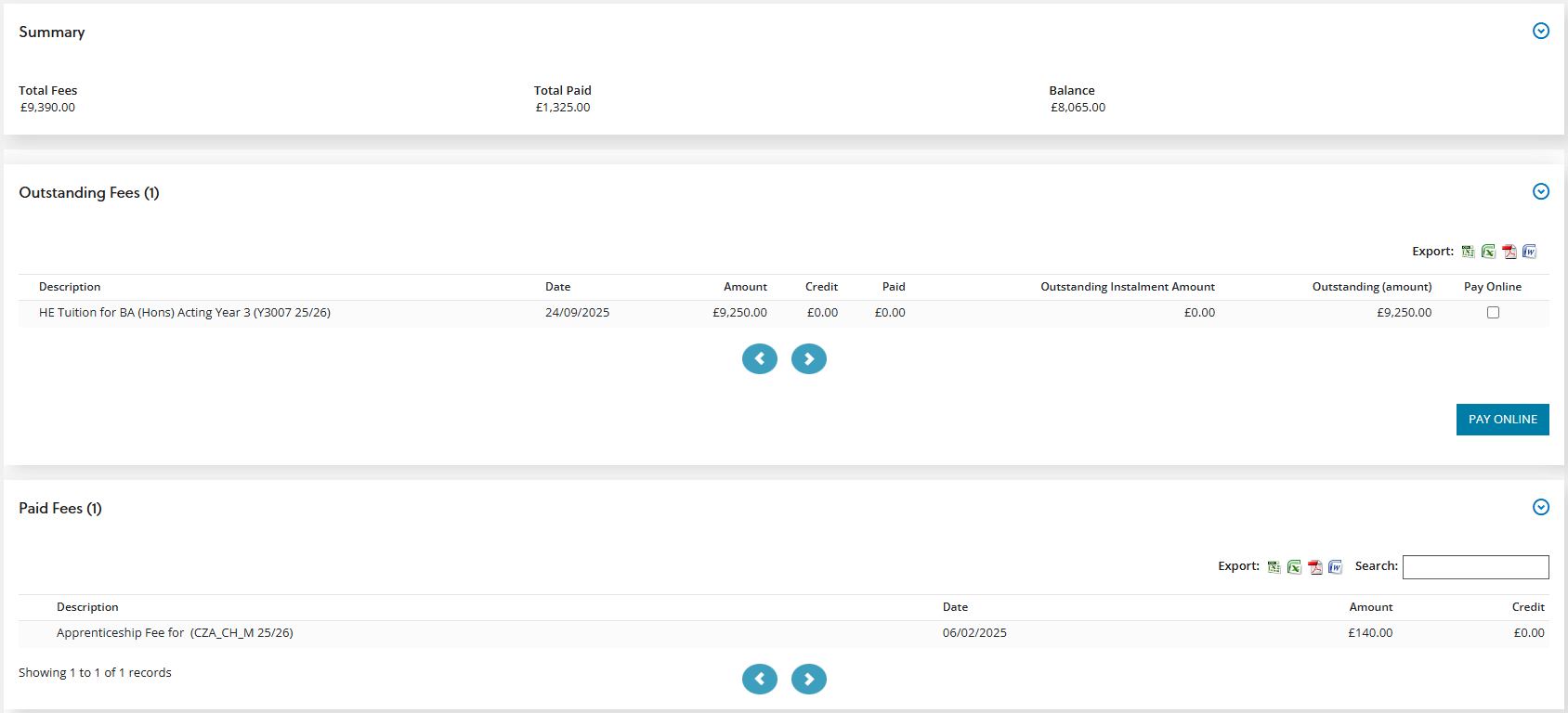
The page is organised into three main sections:
-
Summary - This section gives you an overview of all your fees and receipts for the courses you’re enrolled on.
-
Outstanding fees - This section lists any fees you still need to pay.
-
Paid fees - This section shows the fees you’ve already paid.
The image Payments shows an example of a learner with outstanding fees, some paid fees, and the summary of their fees.
Pay outstanding fees
In the outstanding fees section, you can see any fees that you still need to pay. This area helps you understand what you owe and gives you options for paying online. When you choose to make a payment, the system sends you to a secure payment provider, such as Flywire, where you complete the transaction.